 DropFolder
From Finder straight to your project folder.
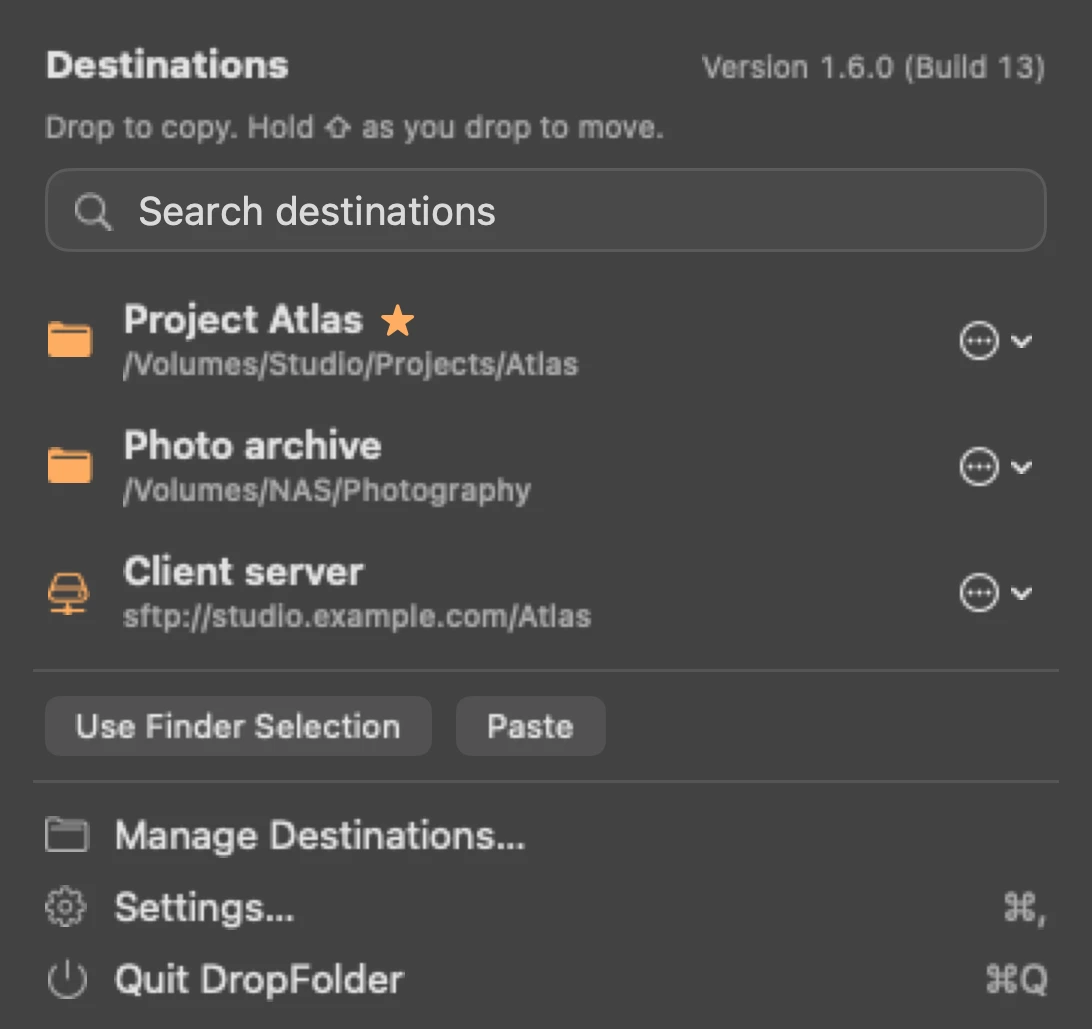
Where did I put that project folder? Save it once in DropFolder. Next time a draft is ready, drag it straight from Finder to its destination in the menu bar and get back to your project.
Watch the film · 38 sec
Coming to the Mac App StoremacOS 13 or later · One-time purchase
File a draft in one drag.
See how to put a project folder in your menu bar. Drop a draft onto the folder to copy it, or hold Shift as you let go to move it.
Send files straight to a server in 1.6
Your draft goes on your MacBook, your photos on the NAS, and the print files on a client’s server. In version 1.6, server folders sit alongside local folders and mounted network drives. Drag a file to any of them the same way.
DropFolder connects directly over SFTP, FTP, explicit FTPS or WebDAV over HTTPS. You can send files to a server without mounting it in Finder or opening a separate transfer app.
Two ways to put your files away
How do I add a destination?
Open DropFolder, click Add Folder, and choose your folder. Click the star next to a destination to pin it to the top.
How do I switch between copying and moving?
In the menu, drop to copy. Hold Shift as you release to move. When using a Finder selection, you can also click Copy or Move next to the destination.
Can I use a NAS or external drive?
Yes. Mount the share or external drive in Finder first, then add its folder. If macOS asks for permission, confirm the folder shown in the system dialog.
How do I add a server folder?
Open Server Folder in the main window and sign in with the address and credentials from your provider. Browse directories for FTP, explicit FTPS and WebDAV, or enter a path. For SFTP, enter the path and verify the server fingerprint on first connection. DropFolder checks the path before saving.
What happens when I move a file to a server?
DropFolder reads the uploaded file back and uses SHA-256 to compare its contents with the original. It puts the local file in your Mac’s Trash only after the copy matches and it confirms the source file hasn’t changed.
How do I change the language?
DropFolder follows your Mac’s language. In System Settings → General → Language & Region → Applications, choose English or German for DropFolder, then relaunch it.
View the main window
